
Last reviewed: June 2026
A 2015 British Medical Journal study that tested 23 symptom-checking apps found the correct diagnosis listed first only about 34 percent of the time. That number has improved since then, but not as dramatically as the marketing around these tools suggests. If you have typed your symptoms into one of these checkers and walked away either reassured or more anxious, you have already experienced both sides of what they actually do: they surface possibilities, not answers, and reading them correctly makes all the difference.
In 2026, three tools dominate the space for English-speaking users: Ada Health, K Health, and the WebMD Symptom Checker. Each uses a different method to surface possible conditions, and each has a different accuracy profile depending on what you ask of it. If you want a broader picture of what AI health tools can do across triage, medication tracking, and mental wellness, AI health and wellness tools directory covers the full category. This guide focuses on what ‘accurate’ actually means for a symptom checker, where each tool performs well, where each one falls short, and how to use their output without letting it replace a clinical judgment.
Key takeaways
- Symptom checker accuracy has two distinct meanings: whether the right diagnosis appears in the suggestions list, and whether the tool correctly identifies your urgency level. These metrics do not always move together.
- Ada Health uses an adaptive interview model that adjusts questions based on your previous answers. K Health matches your symptom profile against de-identified clinical records. WebMD uses a static decision tree anchored to a body-map interface. The technical approaches differ substantially.
- All three tools perform significantly better on common primary care conditions than on rare or atypical presentations. If your situation is unusual, every checker’s accuracy drops.
- None of these tools are FDA-cleared as diagnostic devices. They are consumer health information products, which shapes what claims they can make and how they frame their outputs.
- Your most productive use of a symptom checker is as preparation for a provider conversation, not as a substitute for one. The tool gives you vocabulary and a structured account of your symptoms. Your clinician gives you a diagnosis.

What ‘Accurate’ Actually Means for a Symptom Checker
When you ask whether a symptom checker is accurate, you are actually asking two separate questions, and the answer to each one is different. The first is diagnostic accuracy: does the correct condition appear somewhere in the tool’s output, and how close to the top does it rank? The second is triage accuracy: does the tool correctly classify your urgency level, meaning does it tell you to go to the emergency room when that is genuinely what you need, and does it steer you away from emergency care when your situation does not warrant it?
The 2015 BMJ study found that symptom checkers gave the right triage advice for urgent conditions about 57 percent of the time. That is better than chance, but it is not a number you would want to bet your health on. More recent evaluations have shown improvement, particularly for common presentations, but rare diseases and atypical symptom combinations continue to cause problems across every tool in the category. When you see a claim that a particular checker is ’90 percent accurate,’ it almost always refers to triage accuracy on a curated test set of common conditions, not overall diagnostic performance across all possible presentations.
The regulatory context also shapes what you should expect. Ada, K Health, and WebMD are all classified as consumer health information products, not software medical devices under FDA oversight. That classification is not just a legal technicality. It means these tools are designed to inform you, not to diagnose you, and their disclaimers reflect that. If you go in expecting a diagnosis, you will misread the output. If you go in expecting an informed starting point for a conversation with a clinician, you will get exactly that.
Ada Health: When the Interview Adapts to What You Say
Ada Health, developed in Berlin, uses an adaptive Bayesian interview model. Instead of presenting a fixed list of symptom questions, Ada changes what it asks based on your previous answers. If you report chest tightness and your age places you in a cardiovascular risk bracket, Ada probes for relevant history that a generic tool might skip. If you report fatigue alongside joint pain, the interview shifts to explore autoimmune and inflammatory directions. The result is a differential that reflects more of your specific situation rather than a generic symptom cluster. See the National Institutes of Health for official guidance.
The company has published documentation describing internal validation of its assessment engine and has established integration partnerships with health systems, including NHS-affiliated organizations in the United Kingdom. Independent evaluations have noted that Ada tends to return a broader differential than simpler tools, which is genuinely useful when your symptoms are ambiguous or when you are dealing with more than one body system at once. The trade-off is time. A complete Ada assessment typically runs 10 to 15 questions before producing results, and in some cases longer. If you want a fast answer, that pace can feel slow.
The core symptom assessment is free and does not require an account for basic use. Ada has offered a paid subscription tier that adds longitudinal health tracking and the ability to store and share health reports. If you are someone who has multiple conditions to manage or who sees several specialists regularly, the tracking layer has practical value. But the triage and differential assessment itself, which is what most people come for, is accessible without paying anything.
K Health: Pattern-Matching Against Real Clinical Records
K Health takes a fundamentally different approach. The tool compares your symptom profile against a large dataset of de-identified patient records, looking for conditions that clinicians actually diagnosed in people who reported similar combinations of symptoms. The premise is that real clinical encounter data contains patterns that manually-built decision trees can miss, particularly for vague presentations where no single symptom points clearly to one condition but the combination does.
This approach works best when the underlying dataset contains a large number of cases that resemble your presentation. For common primary care conditions like uncomplicated urinary tract infections, upper respiratory infections, or tension headaches, the pattern-matching signal is strong because thousands of similar cases exist in the reference data. For conditions that affect a small fraction of the population, or for presentations that are unusual for your demographic, the dataset may not have enough comparable cases to generate a reliable match. The tool’s confidence effectively reflects the density of relevant records behind it.
K Health integrates its symptom checker with a telehealth subscription service. You can access the symptom checker without a subscription, but if the checker’s output suggests you should speak to a clinician, you can escalate directly to a K Health physician by chat or video through a paid plan. For users who are already weighing whether to seek a virtual visit, that integration removes a step. You assess your symptoms, see what the tool surfaces, and if you want a clinical opinion, you do not have to leave the platform to get one.
WebMD Symptom Checker: Wide Coverage, Faster Interface
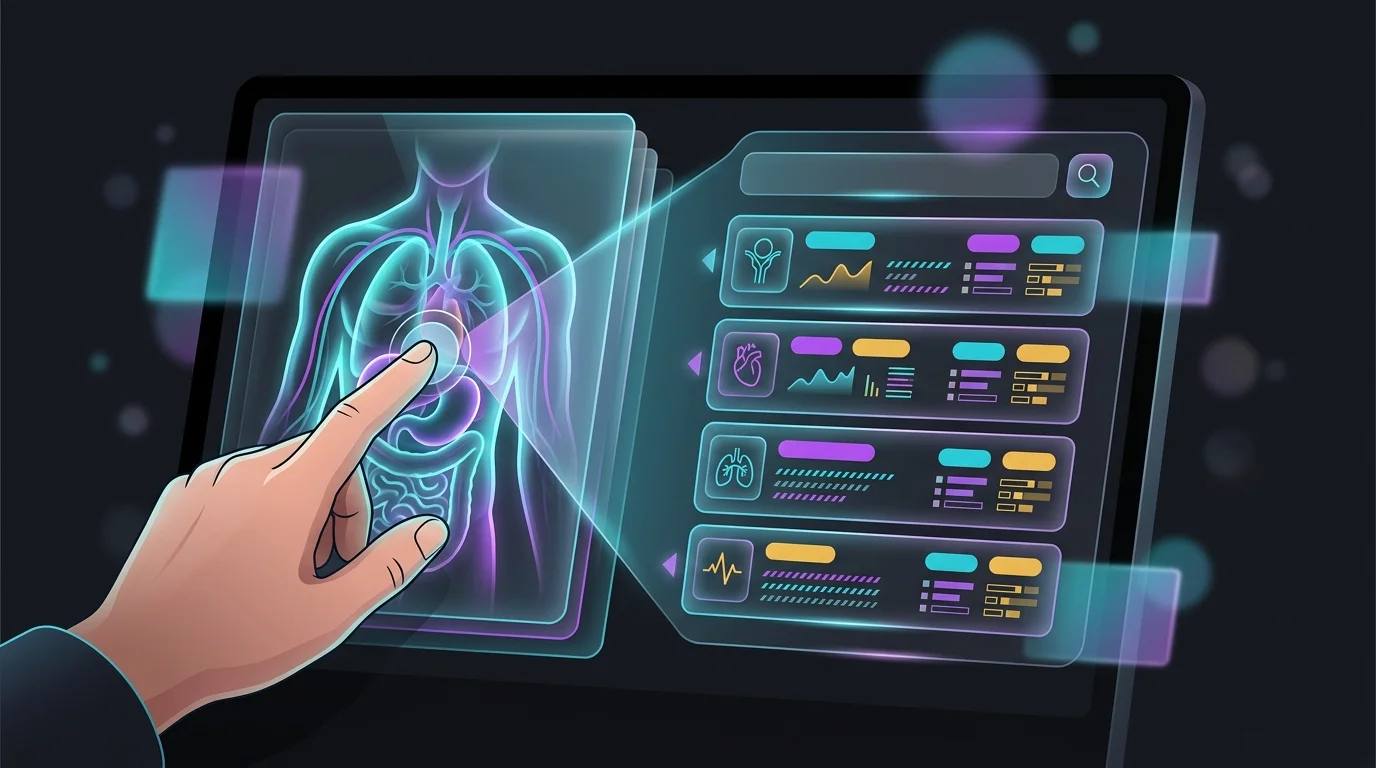
The WebMD Symptom Checker organizes the experience around an anatomical body map. You click on the region where you are experiencing symptoms, answer a series of follow-up questions about what you are feeling, and receive a ranked list of possible conditions, each linked to a WebMD article for further reading. No account is needed and the tool is fully free with no subscription tier. For a general audience that wants a quick orientation without friction, the interface delivers that.
The primary strength here is breadth. WebMD covers a very large number of conditions across all body systems and is built for lay users rather than clinical staff. The assessment layer uses a more static structure than Ada’s adaptive model or K Health’s record-matching: the questions do not change substantially based on your earlier answers. For a straightforward, single-system symptom in an otherwise healthy adult, this works fine. You report a sore throat, you answer a few questions about duration and associated symptoms, and you get a list that likely includes the 3 or 4 most common causes.
Where the tool struggles is with complexity. Multi-system presentations, conditions that require ruling out possibilities based on symptom absence, or situations where your demographic makes certain diagnoses more or less likely are all harder for a static decision tree to handle. If your symptom picture is not clean, you may find the results list long and only loosely ranked. The tool is not designed to narrow a complex differential the way Ada’s adaptive model attempts to. That is not a criticism of what WebMD built. It is a description of what you should and should not use it for.

Limitations That Apply Across the Entire Category
Self-reporting is the single largest source of error in symptom checker outputs, and it applies equally to Ada, K Health, and WebMD. You describe your symptoms in your own words, through your own frame of reference, and the tool works only with what you give it. People regularly omit details they consider unrelated, understate severity because they do not want to seem dramatic, or anchor on a suspected condition early and then answer follow-up questions in ways that steer toward that anchor. A checker has no way to probe an inconsistency the way a clinician can. If you tell it something incomplete, it gives you an answer based on something incomplete.
Demographic representation is a second documented limitation. Clinical datasets and symptom models built from historical medical records inherit the patterns of the populations most likely to seek care in the source system. Symptoms that present differently across age groups, biological sex, or ethnic backgrounds may be assessed less accurately for groups that were underrepresented in training or validation data. This is not a problem unique to AI health tools. It reflects a broader gap in how medical knowledge has been accumulated. But it means that if your demographic is underrepresented, you should interpret checker outputs with extra skepticism.
Rare conditions are a persistent weak point across every tool in this category. A condition that affects 1 in 100,000 people does not generate enough case volume for a pattern-matching system to learn from, and it does not appear frequently enough in validation sets for performance to be measured reliably. If you are on a long diagnostic journey for something that multiple specialists have not yet identified, a consumer symptom checker is not the right instrument. It is calibrated for the conditions that most people have, not for finding what everyone else missed.

A Framework for Choosing the Right Tool
The question is not which of these three tools is the best one. The question is which one matches what you actually need right now. The answer depends on your symptom type, how much time you can invest in the assessment, and what you plan to do with the output.
If you have a single, clear symptom and want fast orientation, WebMD is the lowest-friction option. You do not need an account, there is no interview to complete, and the body-map interface gets you to results in under 2 minutes for most inputs. Use it as a quick orientation, not as a definitive list. If your results come back with 12 conditions ranked without obvious priority, that is the tool telling you the symptom is ambiguous, not that you have 12 things wrong with you.
If your symptoms are vague, span multiple body systems, or do not fit a clean description, Ada’s adaptive interview is worth the extra time. The 10 to 15 minutes it takes to complete a full assessment tends to produce a more differentiated differential than a quick search. Ada is also worth using when you want to generate a structured summary of your symptoms before a clinical appointment. You can export or screenshot the results and bring them with you, which makes the conversation with your provider more efficient.
If your symptoms fit a recognizable primary care pattern and you are already considering a virtual visit, K Health’s integration of symptom checking and telehealth access in one platform reduces friction. You assess, see what the data suggests, and if you want a clinical opinion, you escalate within the same product. That workflow makes sense for conditions like respiratory infections, urinary symptoms, or skin issues where the checker’s output and a clinician’s advice are both likely useful.
How Accuracy Has Actually Changed Since 2022
Symptom checker accuracy has improved meaningfully since the early benchmarking studies, but the improvement is not evenly distributed. Advances in natural language processing have made it easier for tools to interpret symptom descriptions in plain language rather than requiring you to select from predefined lists. Ada and K Health have both updated their platforms significantly since 2020, incorporating more sophisticated symptom parsing and expanded condition libraries. The tools you are using in 2026 are meaningfully better than their 2019 versions for common conditions.
The ceiling that has not moved is clinical judgment. A clinician seeing you in person has access to physical examination findings, vital signs, your affect, and the ability to ask follow-up questions based on what they observe, not just what you say. No symptom checker compensates for the absence of those inputs, and none of the three tools reviewed here claims to. The ones that perform best now are the ones that are explicit about this ceiling rather than burying it in fine print.
Regulatory frameworks are also shifting. The FDA has been developing clearer guidance on software-as-a-medical-device that may eventually apply to consumer symptom tools. How that plays out over the next 2 to 4 years is not settled, but it is worth knowing that the tools you use today may look different in their claims and disclosures if clearer standards emerge. For now, your baseline assumption should be: these are information tools with real but bounded value, and their output improves with how critically you read it.
Getting the Most Out of a Symptom Checker Appointment
The most effective way to use any of these tools is to treat the output as preparation material, not as a verdict. Before you start an assessment, write down your symptoms in the order they appeared, how long each has been present, what makes each one better or worse, and any relevant recent changes in your health or circumstances. The more precisely you input, the more useful the output. Vague inputs produce vague differentials.
When you get results back, do not focus only on the top-ranked condition. Look at the full list and notice the spread. If the top 5 results cover wildly different body systems, the checker is telling you the symptom pattern is ambiguous and you need a professional to narrow it. If the top 3 results are variations on a similar theme, the tool has more signal and the output is more actionable. Use the results to identify which questions to ask your provider, not which condition to treat yourself for.
Set a clear threshold before you use the tool. If any result suggests urgent care, go. Do not use a second checker to get a different answer. Do not wait to see if symptoms resolve. The 3 to 5 conditions that a symptom checker surfaces for a serious presentation are not a reason to delay. They are a reason to get a professional involved faster, with more detail about what you have noticed.
How these tools compare
| Tool | Core Approach | Free Basic Check | Built-in Telehealth | Adaptive Questions | Account Required |
|---|---|---|---|---|---|
| Ada Health | Bayesian adaptive interview | Yes | No | Yes | Optional |
| K Health | Patient record pattern matching | Yes | Subscription tier | No | Yes |
| WebMD Symptom Checker | Static decision tree with body map | Yes | No | No | No |
Related guides
- What Is TrumpRx.gov? Good or Bad? Your Complete Guide to Lower Prescription Drug Prices in 2026
- Your Guide to the Best Cyber Liability Coverage Options That Won’t Break the Bank
- Best Identity Theft Protection Plans in 2025: Secure Your Personal Data Now
- Ada vs K Health 2026: AI Symptom Checker Test
- Best AI Health Apps for Women in
- What Is Health Insurance: Your Guide to Navigating Benefits and Covera
- Do AI Mental Health Apps Actually Work in 2026?
- Flo vs Clue 2026: AI Period Tracker Compared
- Is Your Personal Trainer Worth the Cost? Thrive X Fitness vs Tradition
- Best Gut Microbiome Test: Evidence-Based Buyer Guide
- Best AI Nutrition Apps for Weight Loss in
- Understanding Health Insurance
Sources
- additional detail from gas in the digestive tract
- official U.S. physical activity guidelines
- additional detail from kidney condition
- additional detail from nutritional approaches to musculoskeletal pain
Summary
Before you trust any symptom checker’s output, remember that accuracy means two different things: whether the right condition shows up on the list, and whether the urgency level is correct, and one does not guarantee the other. Ada Health adapts its questions as you answer, K Health compares you against real clinical records, and WebMD walks a body-map decision tree, but all three lose accuracy once your symptoms are unusual, and none is FDA-cleared as a diagnostic device. Use whichever tool you choose to organize your symptoms and build vocabulary for your appointment, then let your clinician deliver the actual diagnosis.
Frequently asked questions
Are AI symptom checkers accurate enough to rely on in 2026?
For common primary care conditions, the correct diagnosis typically appears somewhere in the top 5 results roughly 50 to 60 percent of the time based on published benchmarking studies. Triage accuracy, meaning whether the tool correctly identifies your urgency level, tends to be somewhat higher for urgent conditions. Neither figure is high enough to rely on as your sole input. Use these tools to orient yourself and prepare for a clinical conversation, not to make care decisions independently.
Is Ada Health more accurate than the WebMD Symptom Checker?
For ambiguous or multi-system symptom presentations, Ada’s adaptive interview tends to produce a more differentiated and clinically relevant list than a static decision tree. For simple, single-system symptoms in a healthy adult, the gap is smaller. The honest answer is that ‘more accurate’ depends on what you are asking the tool to evaluate. Ada invests more in the assessment process and produces more granular output. Whether that matters to you depends on the complexity of your situation.
Can these tools identify rare diseases?
Reliably, no. All three tools perform significantly worse on rare conditions than on common ones. The underlying reason is statistical: rare conditions do not appear frequently enough in training data or validation sets to generate reliable patterns. If you are looking for answers on a condition that multiple clinicians have not yet identified, a consumer symptom checker is not the instrument for that search. Specialist referral and targeted diagnostic testing are more appropriate.
Should I use a symptom checker before going to urgent care?
If your symptoms are severe, worsening rapidly, or involve chest pain, difficulty breathing, sudden neurological changes, or severe abdominal pain, go directly to care without stopping to use a checker. For moderate or ambiguous symptoms where you are genuinely unsure whether the situation is urgent, a quick check can help you articulate your symptoms more clearly before you arrive. Do not use a checker output as justification for delaying care when your instinct says go.
Are symptom checkers safe to use for children’s symptoms?
Ada and K Health both indicate their tools are designed for adult users. Pediatric symptom presentation differs enough from adult presentation, particularly for infants and toddlers, that adult-calibrated models should not be applied directly. Published accuracy studies are based almost entirely on adult symptom sets. For children, a pediatric clinician or a nurse advice line is a more appropriate first step.
Does using a symptom checker before a doctor visit actually help the appointment?
In practical terms, yes, if you use the output as preparation rather than as a diagnosis. Arriving with a clear timeline of when symptoms started, what you have noticed worsening or improving them, and a vocabulary for describing the symptom pattern makes appointments more efficient. The list of possible conditions a checker returns gives you specific terms to ask your provider about, which tends to produce more direct answers than a vague description of how you feel.