
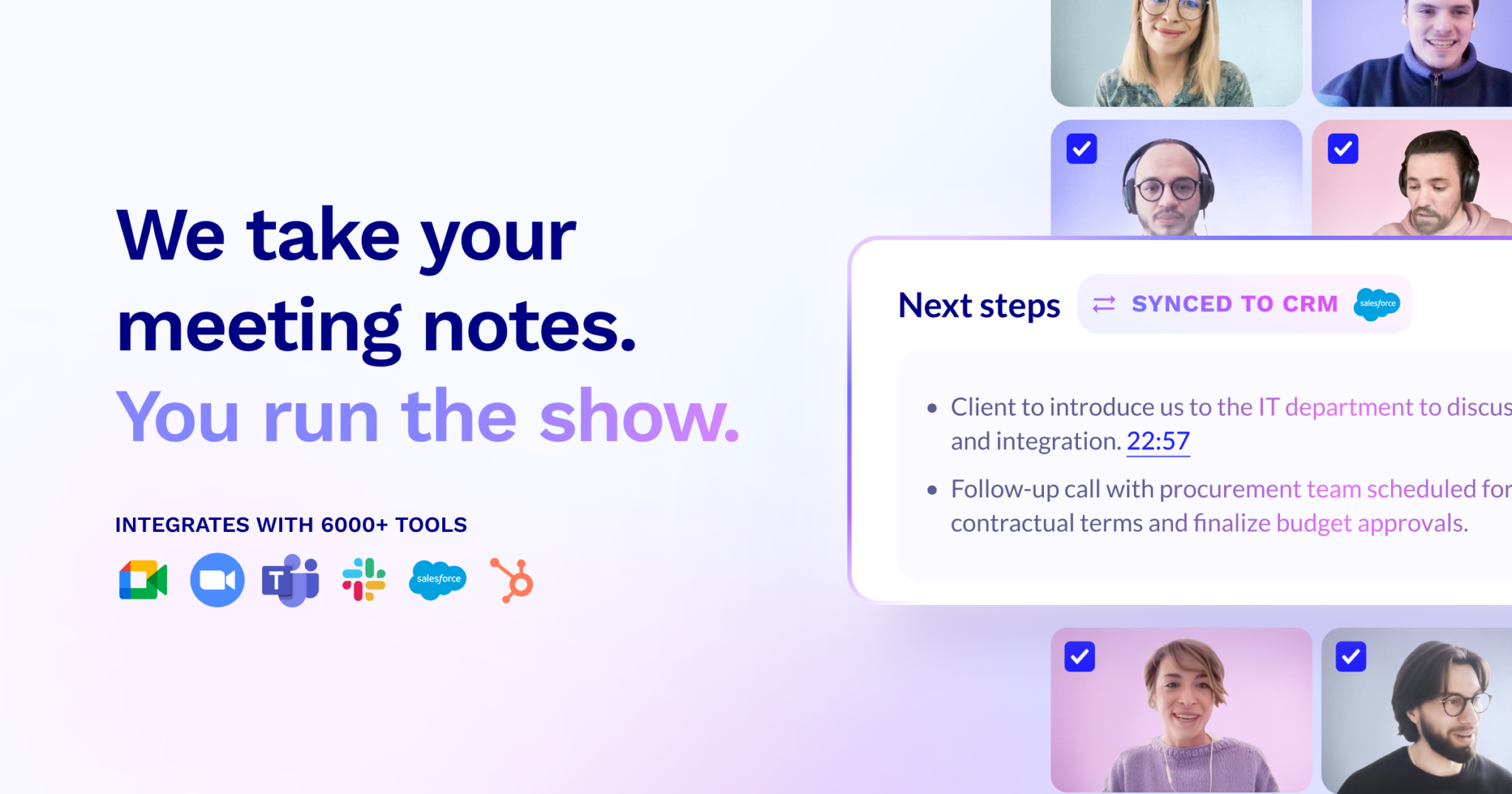
Tldv
Free AI meeting recorder with timestamped notes, highlights, and AI coaching for sales calls
About this Tool
Tldv (short for “too long; didn’t view”) is an AI-powered meeting recorder built for professionals who spend significant time in video calls and need a reliable way to capture, search, and act on what was said. The tool connects to Zoom, Google Meet, and Microsoft Teams to record meetings automatically, then generates timestamped notes and searchable transcripts without requiring manual effort. It is particularly aimed at sales teams, recruiters, customer success managers, and remote workers who cannot afford to lose information that surfaces in live conversations.
How Tldv works
Once connected to your calendar and video conferencing platform, Tldv joins your meetings as a bot participant and records the session in the background. After the meeting ends, it produces a transcript with speaker labels and timestamps, then surfaces highlights that represent the most significant moments in the conversation. Users can search across transcripts from multiple meetings using keywords, making it practical to find a specific discussion point weeks later without rewatching recordings. The AI sales call coaching feature analyzes call recordings and provides structured feedback on performance, which is aimed at helping sales reps identify patterns in their conversations over time.
Strengths
- Generous free tier. The free plan includes AI meeting recording, timestamped notes, and highlights without a time limit on the number of meetings, which is uncommon among tools in this category.
- Searchable transcripts. Being able to search across all past meetings by keyword is practically useful for anyone who references prior conversations regularly, whether for follow-ups, compliance, or project context.
- AI highlights. Rather than forcing users to read full transcripts, the highlights feature pulls out the moments most likely to matter, saving time on post-meeting review.
- Sales coaching built in. The inclusion of AI coaching for sales calls on higher-tier plans means sales teams get structured feedback without needing a separate tool.
- Platform integrations. Support for the three dominant video conferencing platforms covers most business use cases.
Limitations
- Bot participant friction. Tldv joins meetings as a visible bot, which some external participants may find intrusive or raise questions about consent depending on jurisdiction or company policy.
- Accuracy depends on audio quality. Transcript quality degrades with overlapping speakers, heavy accents, or poor microphone setups, which can make notes less reliable in busy group calls.
- Advanced features are gated. AI sales coaching, CRM integrations, and team-level features require the Business plan at $59 per month, which may not suit individuals or small teams who need those capabilities.
- Not a full productivity suite. Tldv focuses narrowly on meetings. It does not handle task management, document creation, or written communication, so it works alongside other tools rather than replacing them.
- Storage and export limits on free tier. Depending on plan, access to older recordings or export options may be restricted, which limits long-term archival use without upgrading.
Who it is for
Tldv is most useful for sales representatives and account executives who need to review call recordings, identify coaching opportunities, and share key moments with managers. Recruiters conducting screening calls will benefit from searchable transcripts when comparing candidates. Remote teams that hold frequent internal meetings and struggle to keep everyone aligned on decisions will find the highlights and timestamped notes practical. It is less suited to solo freelancers who rarely use video calls or teams that have strict policies against third-party bots joining external meetings.
How it compares
Tldv occupies a specific niche in the productivity space: capturing spoken information from meetings. It does not overlap directly with writing tools like Grammarly, which focuses on improving written communication quality rather than recording or transcribing conversations. Similarly, task managers like Todoist help teams organize and prioritize work, but they rely on users to manually enter tasks, whereas Tldv can surface action items from meetings automatically. The practical approach is to treat Tldv as a capture layer that feeds information into the task and communication tools your team already uses. Teams that need meeting intelligence alongside written productivity and task management will typically run Tldv alongside tools like these rather than choosing between them.
Pros & Cons
✓ Pros
- ✓Free AI Meeting Recording
- ✓AI Meeting Highlights
- ✓AI Sales Call Coaching
- ✓AI-powered features
- ✓End-to-end encryption
✗ Cons
- ✗Some advanced features may require higher-tier plans
- ✗Limited public documentation on advanced use cases
Key Features
Free AI Meeting Recording
Timestamped Notes
AI Meeting Highlights
Searchable Transcripts
AI Sales Call Coaching
Custom Summary Templates
CRM Integration
Team Library
📋 Scripts & Prompts for Tldv
Copy these AI-powered scripts to get maximum value from this tool. Sign up free to copy.
No scripts added for this tool yet.
Browse all Productivity scripts in the Vault →🔌 MCP Servers for Tldv
Connect these MCP servers to give Claude, Cursor & Cline superpowers with this tool. Sign up free to copy install commands.
🤖 AI Agents for Tldv
Pre-built automation agents that work with this tool — import in one click. Sign up free to access.
Similar Productivity Tools





Use Cases
sales, customer success, and internal meetings, tl;dv easily integrates with crm
Who Is This For?
Startups
Enterprise
Developers
Students
Tags
Frequently Asked Questions
Tldv is available as free; pro $18/mo; business $59/mo. Visit the tool's website for the latest pricing details and plan options.
Tldv offers a free plan. Check the website for feature limitations and upgrade options.
Tldv is available on Android, Api, Desktop, iOS, Web. Check the official website for the latest platform support.
Many tools offer free trials to let you test before subscribing. Check the Tldv website for current trial availability and duration.
Community Rating
Is this your tool? Claim this listing →