GoodNotes
AI digital notebook with handwriting recognition and AI study tools used by 20M+ iPad users
About this Tool
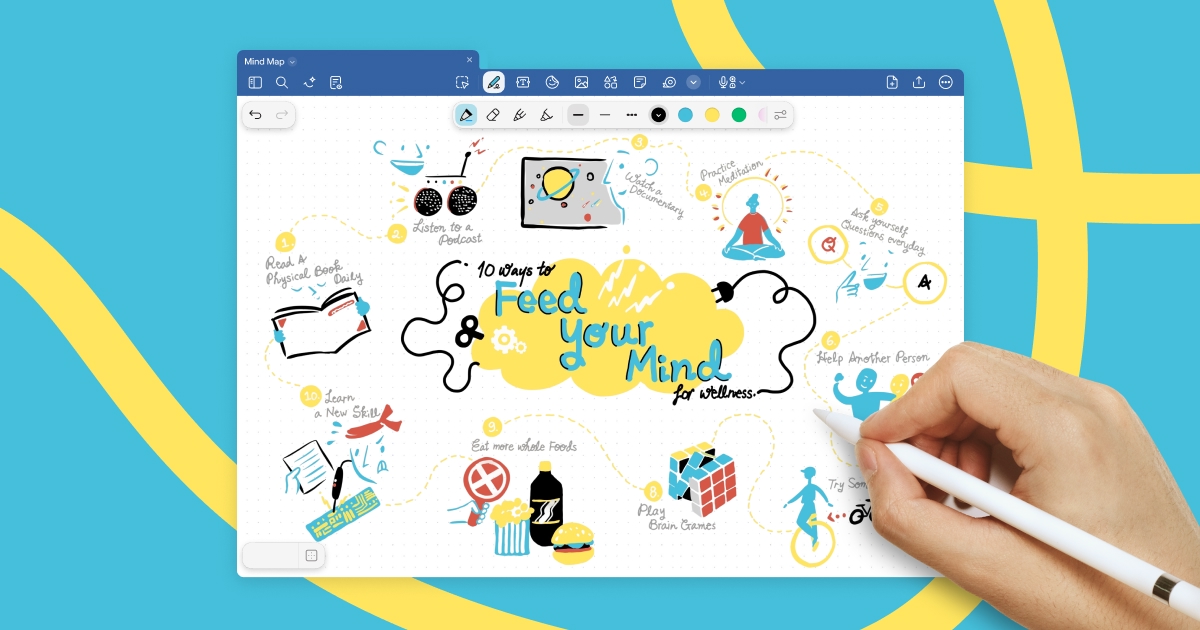
GoodNotes is a digital notebook app developed by Time Base Technology Limited, built primarily for iPad but also available on iPhone, Mac, and Windows. It combines traditional handwriting with AI-powered features like handwriting recognition, note summarization, and automatic flashcard generation. With over 20 million iPad users, GoodNotes targets students, educators, and professionals who prefer writing by hand but want the searchability and organization benefits of digital tools.
How GoodNotes works
At its core, GoodNotes replicates the experience of writing on paper using a stylus. Users create notebooks, annotate PDFs, and organize documents into folders. The AI layer sits on top of this handwriting-first approach and adds three main capabilities.
- AI Handwriting Recognition – GoodNotes converts handwritten text into searchable, editable content. The recognition engine supports over 200 languages, so users writing in Korean, Arabic, or German get the same search functionality as English writers. Once recognized, handwritten notes become fully searchable across all notebooks.
- AI Note Summarization – The app can condense lengthy handwritten or typed notes into shorter summaries. This is aimed at students reviewing lecture notes before exams or professionals catching up on meeting notes without rereading everything.
- AI Flashcard Generator – GoodNotes analyzes note content and generates flashcards automatically. Users can review these within the app using spaced repetition, turning passive notes into active study material.
Documents sync across Apple devices and Windows through iCloud or GoodNotes Cloud, so notes taken on an iPad during a lecture are immediately available on a Mac at home.
Strengths
- Handwriting search actually works – The recognition engine handles messy handwriting reasonably well across its 200+ supported languages. Being able to search through months of handwritten notes by keyword is genuinely useful and saves time compared to flipping through physical notebooks.
- Low annual cost – At $9.99 per year, GoodNotes is accessible for students and casual users. There is no tiered pricing to navigate or premium lock on core features.
- Study tool integration – The combination of summarization and flashcard generation means users do not need a separate app for active recall practice. Notes flow directly into study materials without manual effort.
- PDF annotation – GoodNotes handles PDF markup well, making it practical for reviewing textbooks, research papers, or work documents alongside original handwritten notes.
Limitations
- iPad-first design – While GoodNotes is available on other platforms, the experience is built around Apple Pencil input on iPad. The Mac and Windows versions feel secondary, and users without a tablet and stylus will find limited value in the handwriting features.
- AI features are relatively basic – The summarization and flashcard tools work but lack the depth of dedicated study apps. Summaries can be surface-level, and generated flashcards sometimes miss key concepts or create cards that are too vague to be useful for serious exam prep.
- No real collaboration tools – GoodNotes is designed for individual use. There is no real-time collaborative editing, shared notebooks with permissions, or classroom features that would make it useful for group study or team environments.
- Limited template ecosystem – While the app includes templates for lined paper, grids, and planners, the selection is narrower than some competitors. Users often rely on third-party template creators to fill the gap.
Who it is for
GoodNotes fits best for students who take handwritten notes on iPad and want those notes to be searchable and organized digitally. It is also practical for professionals who annotate PDFs regularly or prefer handwriting in meetings over typing. The AI study tools add the most value for learners who want to reduce the manual work of creating review materials from their own notes.
Users who primarily type their notes, need collaboration features, or do not own an iPad with Apple Pencil will find better options elsewhere.
How it compares
GoodNotes occupies a specific niche as a handwriting-focused notebook with AI features layered on top. It does not compete directly with broader education platforms. Duolingo focuses entirely on language learning through structured lessons and gamification, serving a different educational need altogether. For users looking to learn new skills or subjects through courses rather than organize their own notes, Udemy offers a catalog of instructor-led video courses across hundreds of topics.
Where GoodNotes stands apart is in turning handwritten input into structured, searchable, AI-enhanced study material. It is not a learning platform but a tool for capturing and reviewing what you learn elsewhere. At $9.99 per year, the cost of entry is low enough to justify trying it alongside other education tools in your workflow.
Pros & Cons
✓ Pros
- ✓AI Handwriting Recognition
- ✓200+ Languages Supported
- ✓Searchable Handwritten Notes
- ✓Workflow automation
- ✓AI-powered features
✗ Cons
- ✗Requires a paid subscription for full access
- ✗Some advanced features may require higher-tier plans
Key Features
AI Handwriting Recognition
200+ Languages Supported
Searchable Handwritten Notes
AI Note Summarization
AI Flashcard Generator
PDF Annotation
Smart Folders
iCloud Sync
📋 Scripts & Prompts for GoodNotes
Copy these AI-powered scripts to get maximum value from this tool. Sign up free to copy.
🔌 MCP Servers for GoodNotes
Connect these MCP servers to give Claude, Cursor & Cline superpowers with this tool. Sign up free to copy install commands.
🤖 AI Agents for GoodNotes
Pre-built automation agents that work with this tool — import in one click. Sign up free to access.
Similar Education Tools


Use Cases
collaboration, rely on goodnotes for team brainstorms, remote workshops and stay
Who Is This For?
Students
Tags
Frequently Asked Questions
GoodNotes is available as $9.99/yr. Visit the tool's website for the latest pricing details and plan options.
Visit the GoodNotes website to check whether a free tier or free trial is available.
GoodNotes is available on Android, Desktop, iOS. Check the official website for the latest platform support.
Many tools offer free trials to let you test before subscribing. Check the GoodNotes website for current trial availability and duration.
Community Rating
Is this your tool? Claim this listing →