Descript
AI video and podcast editor that lets you edit media by editing text with voice cloning
About this Tool
Descript is an AI-powered video and podcast editing tool built by Descript, Inc. Unlike traditional timeline editors, it centers the entire editing workflow around a text transcript, letting creators cut, rearrange, or remove content by editing words rather than waveforms or clips. It is aimed at podcasters, video creators, content marketers, and anyone who produces spoken-word media and wants to move faster without mastering a traditional non-linear editor.
How Descript works
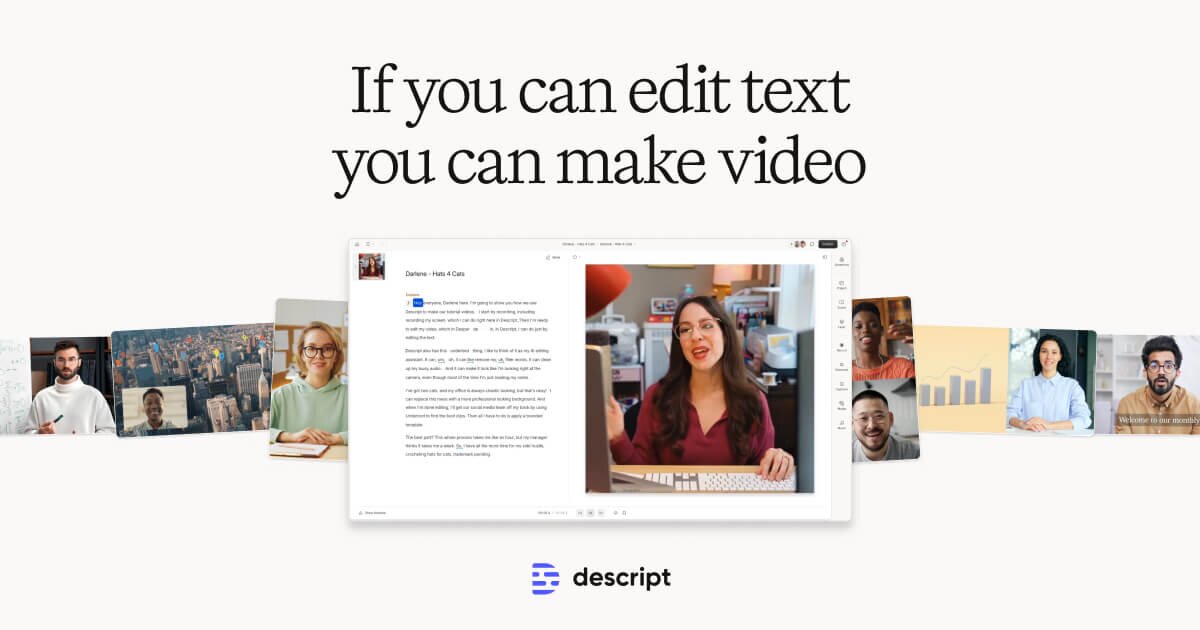
When you import audio or video, Descript automatically transcribes the recording and displays the text alongside the media. Every edit you make to the transcript – deleting a sentence, reordering a paragraph, cutting a word – is applied directly to the underlying audio or video in real time. The same interface handles screen recordings, so you can capture a walkthrough and edit it the same way you would a talking-head clip. Overdub, the voice cloning feature, lets you generate new audio in the speaker’s own voice by typing corrected text, which is useful for fixing mispronounced words or minor script changes without a re-record session.
Strengths
- Text-based editing removes the timeline learning curve. Creators who are comfortable in a word processor can start making meaningful edits on day one without learning clip handles, ripple edits, or keyframes.
- AI filler word removal is fast and accurate. Descript can detect and strip “um,” “uh,” and similar filler words across an entire recording in seconds, a task that takes considerable manual effort in conventional editors.
- Auto transcription is built in. There is no need to export audio and run it through a separate transcription service; the transcript is generated automatically on import and stays synced to the media.
- Overdub voice cloning reduces re-record sessions. Small corrections can be typed in rather than re-recorded, which saves time for solo creators who produce high volumes of content.
- Screen recording is integrated. Capturing software walkthroughs and tutorial content does not require a separate tool.
Limitations
- Overdub requires a voice training sample and consent verification. Setting it up takes time, and the cloned voice quality can vary depending on the quality and length of the training recording.
- The free plan is restricted. The free tier limits transcription hours and export quality, which means serious producers will need the paid Creator plan at $24 per month.
- Complex multi-track projects can feel constrained. Creators who work with layered music beds, multiple speakers on separate tracks, or intricate b-roll sequences may find the text-centric model limiting compared to a full non-linear editor like DaVinci Resolve or Premiere Pro.
- Transcription accuracy depends on audio quality. Heavy background noise, strong accents, or overlapping speakers can reduce transcript accuracy, which then affects every downstream edit tied to that text.
- Not designed for heavily visual content. Motion graphics, color grading, and effects work are outside its scope; Descript is primarily a spoken-word editing tool.
Who it is for
Descript fits best for solo podcasters, YouTube educators, course creators, and marketing teams that produce interview content or talking-head videos on a regular schedule. It is particularly useful for teams without a dedicated video editor, because the text-based workflow makes it accessible to writers, marketers, and producers who have never used a timeline editor. It is less suited to narrative filmmakers, agencies doing heavy post-production work, or anyone who needs frame-level precision and deep color tools.
How it compares
For teams whose content needs lean more toward visual design and social graphics alongside video, Canva offers video editing features bundled with a broad design toolkit, though it does not provide text-based audio editing or voice cloning. For AI-assisted design and content generation at the brand level, Canva AI adds generative tools on top of that foundation. Neither alternative replaces the transcript-driven editing workflow that Descript is built around, so the right choice depends on whether spoken-word editing or visual design output is the higher priority for a given team.
Pros & Cons
✓ Pros
- ✓AI Filler Word Removal
- ✓Overdub Voice Cloning
- ✓Studio Sound AI
- ✓AI-powered features
- ✓Free plan or freemium pricing
✗ Cons
- ✗Enterprise pricing requires contacting sales
- ✗Some advanced features may require higher-tier plans
Key Features
Text-Based Editing
AI Filler Word Removal
Overdub Voice Cloning
Screen Recording
Auto Transcription
Studio Sound AI
Green Screen
Social Media Export
📋 Scripts & Prompts for Descript
Copy these AI-powered scripts to get maximum value from this tool. Sign up free to copy.
🔌 MCP Servers for Descript
Connect these MCP servers to give Claude, Cursor & Cline superpowers with this tool. Sign up free to copy install commands.
🤖 AI Agents for Descript
Pre-built automation agents that work with this tool — import in one click. Sign up free to access.
Similar Marketing & Content Tools



Who Is This For?
Enterprise
Tags
Frequently Asked Questions
Descript is available as free / $24/mo creator. Visit the tool's website for the latest pricing details and plan options.
Descript offers a free plan. Check the website for feature limitations and upgrade options.
Descript is available on Api, Desktop. Check the official website for the latest platform support.
Many tools offer free trials to let you test before subscribing. Check the Descript website for current trial availability and duration.
Community Rating
Is this your tool? Claim this listing →