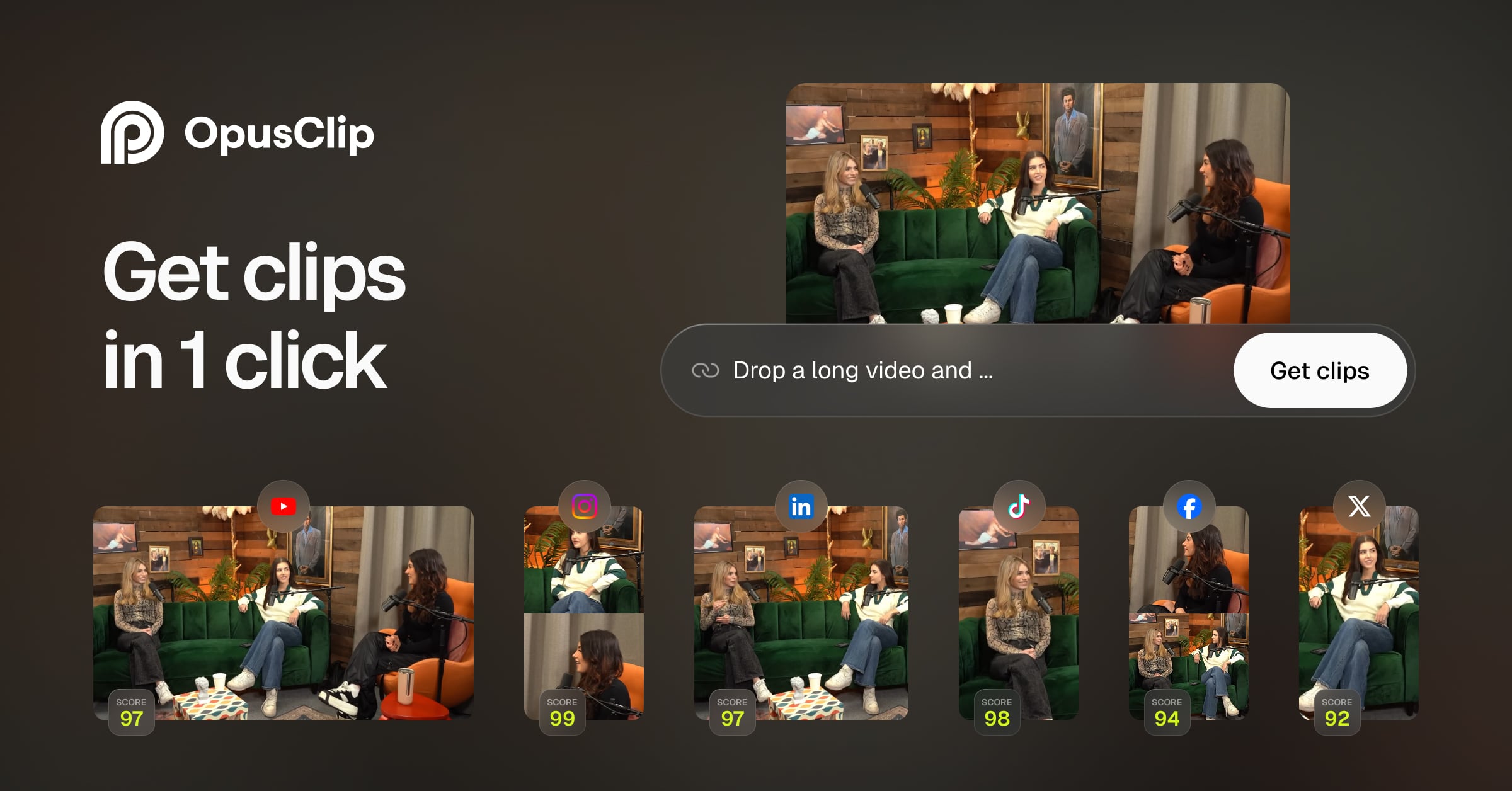
Opus Clip
AI video repurposing tool auto-clipping the best moments from long videos into viral short-form content
About this Tool
Opus Clip is an AI-powered video repurposing tool built for creators, marketers, and social media managers who need to turn long-form video content into short clips optimized for platforms like TikTok, Instagram Reels, and YouTube Shorts. Developed by Opus Research Inc., it targets anyone sitting on a library of webinars, podcasts, interviews, or YouTube videos who wants to extract shareable moments without spending hours in a traditional editor.
How Opus Clip works
You paste a video URL or upload a file, and Opus Clip analyzes the full recording to identify segments most likely to perform well on short-form platforms. Its AI Virality Scoring system ranks each clip by estimated engagement potential, giving you a prioritized list rather than a dump of random cuts. From there, the tool auto-generates captions and subtitles, reframes horizontal footage into vertical aspect ratios suited for mobile feeds, and lets you apply brand templates to keep the output consistent with your visual identity. The workflow is designed to minimize manual editing: you review the ranked clips, make light adjustments if needed, and export.
Strengths
- AI Virality Scoring is the standout differentiator. Rather than leaving you to guess which 90 seconds of a 60-minute webinar will land, the tool surfaces and ranks clips by predicted engagement, which speeds up decision-making significantly.
- Auto Clip Identification handles the tedious work of scrubbing through footage. For high-volume content teams or solo creators publishing across multiple channels, this saves real editing hours each week.
- Captions and reframing in one pass means you are not juggling multiple tools to get a clip ready for vertical platforms. Auto captions, subtitle styling, and aspect-ratio conversion all happen inside the same workflow.
- Brand Templates let agencies and businesses keep clips visually consistent across accounts without rebuilding styling from scratch each time.
- The free tier offers 60 minutes of processing per month, which is enough to evaluate the tool on real content before committing to a paid plan.
Limitations
- Clip quality depends heavily on the source material. Talking-head interviews and podcasts with clear speech produce better results than heavily edited videos, music-heavy content, or recordings with poor audio quality.
- The AI Virality Score is a prediction, not a guarantee. It reflects patterns the model was trained on and will not account for niche audiences or atypical content formats where those patterns do not apply.
- Creative control is limited compared to a manual editor. If the auto-identified clip cuts off a key sentence or starts a beat too early, trimming tools exist but they are not as precise as a full timeline editor like Premiere or CapCut.
- The free plan caps at 60 minutes of video per month, which is restrictive for creators who publish frequently. Teams running high volume will need the paid tier quickly.
- Brand Templates and some advanced features are gated behind the paid Starter plan at $15 per month, so the free version gives you a partial picture of the full product.
Who it is for
Opus Clip fits best for content creators and marketing teams who already produce long-form video and want a faster path to short-form distribution. Podcasters who record video, course creators, coaches running live sessions, and B2B companies republishing webinars are the core use case. It also works well for social media managers who handle multiple clients and need to move fast without a dedicated video editor on staff. It is less suited to creators who need fine-grained creative control over every cut, or to anyone starting without an existing library of long-form footage.
How it compares
Opus Clip occupies a specific niche: AI-first video repurposing. It is not a general-purpose design or content creation tool, which means the comparison set depends on what you need alongside it. If your workflow extends beyond video into graphics, social posts, and branded visuals, Canva covers a much wider surface area and has become a serious content production hub for marketing teams. For teams already inside Canva’s ecosystem, Canva AI adds generative design and copy features that complement rather than overlap with what Opus Clip does. The practical answer for most creators is that Opus Clip handles the video-to-clips pipeline while a tool like Canva handles static and mixed-media output. They solve different parts of the same content distribution problem and are not direct substitutes.
Pros & Cons
✓ Pros
- ✓AI Virality Scoring
- ✓Auto Clip Identification
- ✓AI Captions & Subtitles
- ✓Workflow automation
- ✓Free plan or freemium pricing
✗ Cons
- ✗No native Android app
- ✗Some advanced features may require higher-tier plans
Key Features
AI Virality Scoring
Auto Clip Identification
AI Captions & Subtitles
Reframe for Vertical
Brand Templates
Clip Highlight Reel
Speaker Detection
Bulk Processing
📋 Scripts & Prompts for Opus Clip
Copy these AI-powered scripts to get maximum value from this tool. Sign up free to copy.
🔌 MCP Servers for Opus Clip
Connect these MCP servers to give Claude, Cursor & Cline superpowers with this tool. Sign up free to copy install commands.
🤖 AI Agents for Opus Clip
Pre-built automation agents that work with this tool — import in one click. Sign up free to access.
Similar Marketing & Content Tools







Use Cases
speed, accuracy, and creative flexibility
Who Is This For?
Marketers
Tags
Frequently Asked Questions
Opus Clip is available as free (60 min/mo) / $15/mo starter. Visit the tool's website for the latest pricing details and plan options.
Opus Clip offers a free plan. Check the website for feature limitations and upgrade options.
Opus Clip is available on Api, iOS, Web. Check the official website for the latest platform support.
Many tools offer free trials to let you test before subscribing. Check the Opus Clip website for current trial availability and duration.
Community Rating
Is this your tool? Claim this listing →