Last reviewed: June 2026
You have maybe 12 minutes between your 10 a.m. standup and your next call. That is not an exaggeration; it is the actual shape of most knowledge workers’ days. Most wellness advice collapses in that window because it assumes a 45-minute slot exists somewhere in your schedule. The four tools covered here, Oura Ring, Headspace, Calm, and MacroFactor, were built with the opposite assumption: that your calendar is mostly full, your attention is mostly spent, and any habit requiring a dedicated block will not last past the first heavy week.
This guide evaluates those four tools on the criteria that matter for packed schedules: how passive the data collection is, how fast the daily check-in runs, and whether the AI layer actually reduces your cognitive load or just adds another screen to manage. You can browse the AI health and wellness tools directory if you want a wider view across sleep, nutrition, fitness, and mental wellness categories. The goal here is narrower: one combination that covers the three gaps most professionals share, sleep visibility, stress management, and nutrition calibration, in under eight minutes of active daily input.
Key takeaways
- A morning Oura readiness check (30 seconds), one 3-minute Headspace or Calm session mid-day, and a 2-minute MacroFactor dinner log add up to under 8 minutes of active daily input.
- Oura Ring tracks sleep stages, heart rate variability, respiratory rate, and skin temperature passively overnight. You do nothing extra, and the data appears each morning as a distilled score.
- Headspace and Calm both offer sessions as short as 3 minutes, but they differ structurally: Headspace is course-based and CBT-informed, Calm is on-demand with no required progression. Which one you actually use when time is short depends on whether you prefer structure or flexibility.
- MacroFactor’s expenditure algorithm adjusts your weekly calorie target from your actual weight trend, not a population-average formula. Incomplete logging still produces a useful calibration over time.
- Full subscriptions for all three apps run $30 to $33 per month. The Oura Ring hardware adds a one-time cost of $299 to $499. Amortized over two years, the all-in effective monthly cost is roughly $42 to $54.

Why Most Wellness Apps Fail the 12-Minute Window
The problem with most wellness apps is that they assume you already have habits. The onboarding flow asks you to identify a time to meditate, a window to log meals, and a consistent sleep schedule to track manually. For someone running calls from 8 a.m. to 6 p.m., none of those assumptions hold. The result is an app that gets opened for three days and then lives in a folder on the last screen of your phone.
The shift that makes these four tools different is a move from input-heavy design to insight-first design. Oura Ring collects overnight data with nothing required from you and delivers a scored summary in the morning. MacroFactor was built to model trends even when you miss logging days. Headspace and Calm both shortened their default session lengths and surfaced their fastest options on the home screen after seeing that shorter sessions had meaningfully better completion rates among working adults. These are design decisions that reflect a different assumption about whose schedule the app has to fit into.
A practical filter for any wellness app you evaluate: if it requires more than two minutes of deliberate daily input to stay useful, it will not survive your third consecutive heavy week. That is not a willpower failure on your part. It is a product design mismatch. The four tools covered here pass that filter with one partial exception, noted in the cost section.
Sleep Visibility Without Nightly Effort: Oura Ring
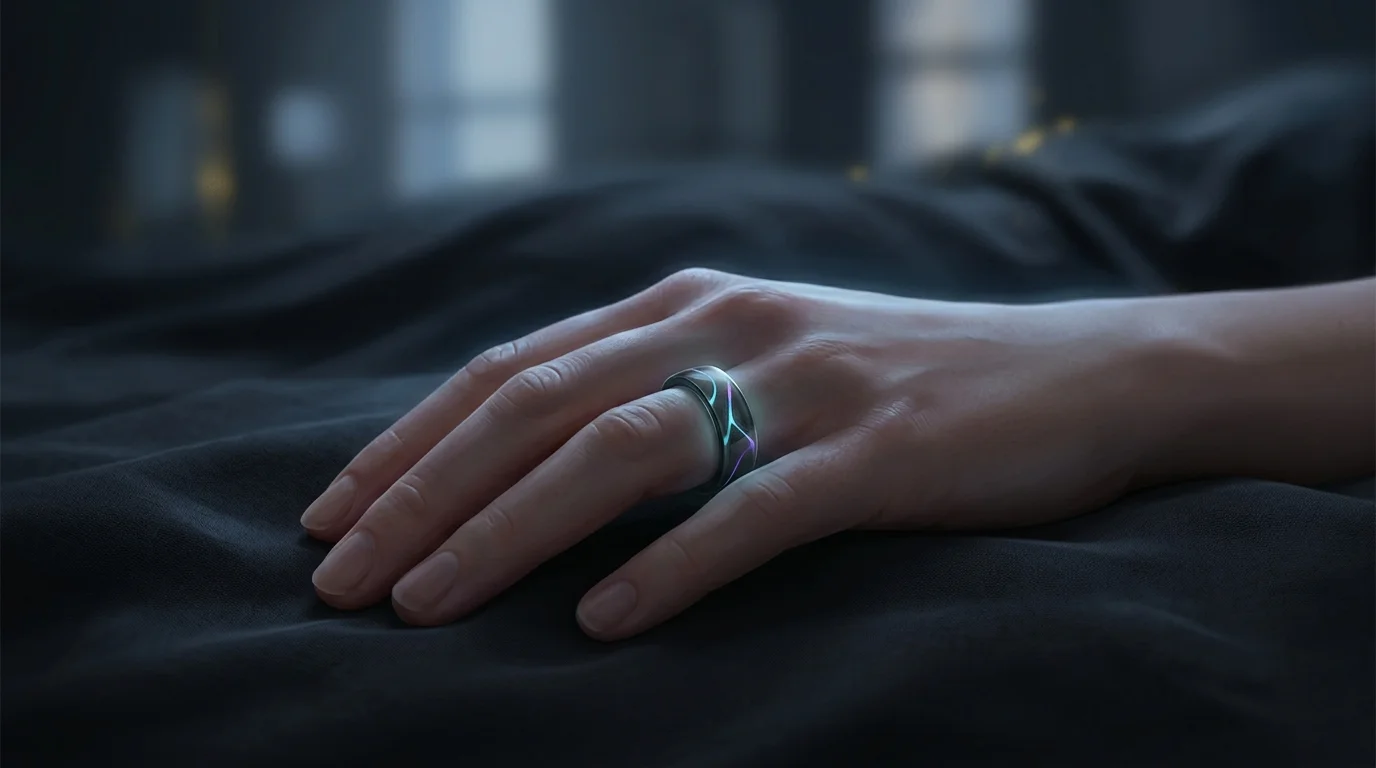
Oura Ring is a wearable ring, not a watch, and the placement matters for sleep data quality. Because the sensor sits on your finger rather than your wrist, it captures blood volume pulse from a site with less motion artifact during sleep. The Gen 3 sensor array measures heart rate, heart rate variability (HRV), respiratory rate, and peripheral skin temperature continuously through the night. You wear it to bed, and by morning the data is already processed. There is nothing to configure before you sleep. See the National Institutes of Health for official guidance.
The companion app surfaces two scores each morning: a Sleep Score and a Readiness Score. The Sleep Score breaks down by time in each sleep stage, timing of sleep onset, and continuity through the night. The Readiness Score combines sleep quality with your recent activity load and your HRV trend over the past several days into a single number reflecting whether your body is recovered and ready to push or in a state that needs a lighter day. The AI narrative in the app translates those signals into plain language in about 30 seconds. If your HRV has been declining for five consecutive days, it flags the pattern and notes likely contributors. You do not need to interpret charts to act on the output.
The ring hardware costs $299 to $499 depending on finish. Oura charges $5.99 per month for the membership tier that unlocks the AI summaries, trend views, and personalized recommendations. Without the membership, you can still see raw data, but the coached layer, which is where the time savings actually sit, requires the subscription. One limitation worth stating clearly: Oura is a consumer device, not a clinical instrument. It cannot diagnose sleep apnea, and its sleep staging does not match the precision of a polysomnography study. What it reliably does is surface multi-day trends in your recovery that most people are not tracking at all.
- No manual input required at bedtime; tracking is fully passive
- Morning readiness score gives you one number to act on each day
- AI narrative summary reads in about 30 seconds and flags multi-day patterns automatically
- Integrates with Apple Health and Google Fit for cross-app activity context
- $5.99/month membership required for coached insights and trend analysis

Mindfulness on a Packed Schedule: Headspace vs. Calm
Headspace and Calm are the two most widely distributed mindfulness apps, and they approach the format differently enough that the choice between them matters more than most feature comparisons suggest. Headspace is built around courses: you progress through a series of guided sessions on a given topic, such as focus, stress, or sleep, and each session builds on the one before it. The content is informed by cognitive behavioral techniques, so the guided voice explains what you are practicing and why, rather than just leading you through breath counts. If you tend to finish things you start and want to understand the underlying techniques, Headspace pays off cumulatively over several weeks.
Calm is built around on-demand access. You pick from a broad menu of categories on any given day without being locked into a course progression. Their breathing function is two taps from a 2-minute exercise accessible from the home screen. For someone whose available time and mental state shift significantly across the week, that low-friction structure means a lower activation cost exactly when your bandwidth is already gone. You do not have to remember where you left off in a course or decide which module to resume.
Headspace runs approximately $12.99 per month or around $69.99 annually. Calm is approximately $14.99 per month or $69.99 to $79.99 annually. Both have limited free tiers. Rather than deciding based on feature lists, use the free tier of each for two weeks and observe which one you actually open when you have three minutes between meetings. That behavioral test is more reliable than any comparison. The honest summary: Headspace pays off if you finish courses; Calm pays off if you need flexibility from day to day.
- Headspace: course-based CBT-informed content, SOS mode on home screen for acute stress moments
- Calm: on-demand format with no required progression, breathing exercise in 2 taps from home screen
- Both surface sessions as short as 3 minutes as the primary call-to-action
- Headspace ~$12.99/month or ~$69.99/year; Calm ~$14.99/month or ~$69.99-$79.99/year
Nutrition Calibration Without Daily Precision: MacroFactor
MacroFactor’s central design premise is that your actual energy expenditure is not what a population-average formula says it is. Total daily energy expenditure varies by 20 to 30 percent across individuals at the same body weight and activity level, and it shifts over time in response to dieting, changes in muscle mass, or gradual shifts in your baseline activity. Apps that calculate your maintenance calories at setup from a standard formula and never update them are working with an estimate that drifts further from your reality the longer you use them.
MacroFactor estimates your actual expenditure from the relationship between what you log eating and how your body weight changes over time. The algorithm updates weekly. If you log an average of 2,200 calories per day for two weeks and your weight holds steady, the algorithm concludes your maintenance is around 2,200 calories, regardless of what any calculator would say. That calibration takes three to four weeks of reasonably consistent logging to stabilize. After that, the targets it produces reflect your actual physiology. MacroFactor costs approximately $11.99 per month or $71.99 per year.
The practical advantage for an irregular schedule is the algorithm’s tolerance for missing data. Four to five days of accurate logging per week is enough for the model to track your weight trend and update your targets. You do not need a complete seven-day log for the system to work. The barcode scanner handles most packaged foods in seconds, and the food database covers common restaurant options well enough for useful estimates. One thing MacroFactor does not do: it is not a meal planner. It sets targets and tracks your intake against them. If you need meal suggestions or shopping lists, you need a separate tool for that.
- Adaptive expenditure algorithm updates weekly from real weight and intake data
- Works usefully with 4 to 5 days of logging per week; no need for daily precision
- Fast barcode scanner and large food database for quick meal entries
- Weekly coach summaries let you review progress without daily analysis
- Does not generate meal plans or shopping lists; targets and tracking only
How to Stack These Four Tools Into a Daily Routine
The stack works across three transition moments you already have. Morning is two minutes: open the Oura app while coffee is brewing. Read your readiness score and the AI summary. If your readiness is 70 or above on the app’s 0-to-100 scale, your body is recovered and you can push hard in any physical activity you planned. If it is below 60, that is the signal to keep effort light and prioritize sleep tonight. This single check calibrates your physical effort level for the whole day without any journaling or manual input from you the night before.
Mid-day is three minutes: between meetings or just before lunch, open your mindfulness app and run one short session. The key is to pre-decide your default before your day starts, while you still have bandwidth. Set a rule for yourself: Headspace SOS if your mornings tend to be stressful, Calm breathe if you just need a reset. Removing the in-the-moment decision reduces the friction precisely when your mental resources are already depleted and you are most likely to skip it entirely.
Evening is two to three minutes: log dinner in MacroFactor using the barcode scanner or a quick search. This is the only touchpoint where you are providing data rather than reviewing it. If you miss it, do not double-log the next day; the algorithm handles the gap. Your total active daily time on a complete day is seven to eight minutes. On a day where you skip the dinner log, it is closer to four.
Who This Combination Is For (and Where It Breaks Down)
This stack fits professionals who already have some physical activity in their week and want data to guide how hard they push on any given day, who experience stress acutely but currently have no systematic intervention for it, and who have tried nutrition tracking before but quit because precise daily logging felt unsustainable. If two or three of those descriptions match your situation, this combination addresses them directly.
It is a harder fit if you are dealing with a clinical health condition that requires medical-grade monitoring. Oura’s sleep data and MacroFactor’s nutrition estimates are consumer-grade tools, not diagnostic instruments. If your doctor has asked you to monitor blood glucose, blood pressure, or sleep-disordered breathing, these apps do not cover that need and should not be positioned as equivalents to what a clinician would prescribe.
The most important sequencing advice: do not try to build all three habits simultaneously if you are starting from zero on all of them. Adding three new daily behaviors at once is the most reliable way to abandon all three within a month. If that is your situation, identify the single category where your gap is largest. For most people in high-stress knowledge work, that is sleep first. Poor recovery compounds into worse decisions, shorter attention spans, and lower stress tolerance all day. Start with Oura, add a mindfulness app once the morning check-in is automatic, and add MacroFactor when you have consistent bandwidth for two minutes of evening input.
What the Full Stack Costs: A Realistic Breakdown
Monthly subscription costs at current pricing: Oura membership at $5.99 per month, one mindfulness app at $12 to $15 per month, and MacroFactor at approximately $11.99 per month. That is $30 to $33 per month in subscriptions. The Oura Ring hardware adds a one-time cost of $299 to $499 depending on finish. Amortized over two years of use, that adds $12 to $21 per month to your effective cost, putting the all-in monthly figure at roughly $42 to $54.
That is comparable to a mid-tier gym membership in most mid-size cities. If you are already paying for a gym you rarely use, this stack is a reasonable alternative for that wellness spending. If budget is the primary constraint, MacroFactor at approximately $71.99 per year is the lowest-cost entry point in the stack and covers the category where data visibility tends to produce the fastest behavioral feedback for most people. Sleep tracking with Oura requires the hardware investment upfront, which raises the entry cost significantly compared to the software-only tools.
One practical note on pricing: all four services adjust their subscription prices periodically. The figures above reflect publicly available pricing as of mid-2026. Verify current pricing directly on each product’s website before subscribing, particularly for annual plans where you are committing a year of spend upfront. Annual billing typically reduces the effective monthly cost by 30 to 50 percent compared to month-to-month, which changes the math meaningfully if you are confident the habit will stick.
How these tools compare
| Tool | Category | Core AI Feature | Min Daily Check-in | Approx. Cost |
|---|---|---|---|---|
| Oura Ring | Sleep and recovery | Readiness score plus narrative summary generated from HRV, sleep stages, and skin temperature data | 30 sec morning review | $5.99/mo membership plus $299-$499 one-time hardware |
| Headspace | Mindfulness and stress | Course-based content recommendations plus SOS mode for immediate acute stress relief | 3 min | ~$12.99/mo or ~$69.99/yr |
| Calm | Mindfulness and sleep | On-demand session variety plus Daily Calm programming plus home-screen breathing exercises | 2 min | ~$14.99/mo or ~$69.99-$79.99/yr |
| MacroFactor | Nutrition tracking | Adaptive expenditure algorithm that calibrates weekly calorie targets from real weight and intake trends | 2 min evening log | ~$11.99/mo or ~$71.99/yr |
Related guides
- What Is TrumpRx.gov? Good or Bad? Your Complete Guide to Lower Prescription Drug Prices in 2026
- Your Guide to the Best Cyber Liability Coverage Options That Won’t Break the Bank
- Best Identity Theft Protection Plans in 2025: Secure Your Personal Data Now
- Best Calm Alternatives 2026 for Sleep and Stress
- Best Headspace Alternatives 2026 (Tested Picks)
- Is the Oura Ring Worth It in 2026?
- Is Calm Premium Worth It in 2026?
- Best AI Sleep Apps for Shift Workers in
- Best Oura Ring Alternatives 2026 Tested and Ranked
- Do Smart Rings Need a Subscription in 2026?
Sources
- additional detail from Multi-country nutrition app review
- further context: official U.S. physical activity guidelines
- CDC guidance on recommended sleep duration and hygiene
- decades of nutrition research
Summary
Busy professionals can layer these tools into moments they already have: a morning glance at the ring, a mid-day breathing break, a quick dinner log. None of it demands willpower or an extra block of time, and none of it demands perfection either, since incomplete logging still calibrates over time. Pick the mindfulness app that matches how you actually work, structured or flexible, and treat the combined cost, including the ring hardware amortized over two years, as the real monthly price before committing. Start small and let the passive tracking do the rest.
Frequently asked questions
Can I use just one of these tools instead of the full stack?
Yes, and that is often the right starting point. Each tool addresses a separate category: sleep, stress, or nutrition. Oura Ring alone is worth it if recovery visibility is your biggest gap. MacroFactor alone makes sense if you want nutrition data without any hardware commitment. The stack concept is about coverage, not dependency. Using one tool consistently for 90 days is more valuable than adding three and dropping all of them within a month.
Does Oura Ring need to be worn during the day, or only at night?
The ring’s primary data collection happens during sleep and rest. Wearing it during the day adds step counts and activity data that feed into your Readiness Score, but the sleep tracking does not require daytime wear. If wearing a ring during work is uncomfortable, you can take it off during your workday without losing the core sleep and recovery data.
How long does MacroFactor take to calibrate to your actual metabolism?
Roughly three to four weeks of reasonably consistent logging. During that initial period, four to five days per week of logging is sufficient. After calibration, targets update weekly from your ongoing data. The more consistent your logging during the first month, the faster the algorithm converges on your real expenditure rather than a generic starting estimate.
Which app is better for someone who has never meditated: Headspace or Calm?
Headspace is generally the easier starting point if you have no meditation background. Its course structure builds skills progressively and explains the techniques along the way, so you are not just sitting in silence wondering if you are doing it right. Calm’s on-demand format assumes you already know what type of session you want on a given day, which is harder to navigate when everything is new. Once you have a few months of practice, Calm’s flexibility becomes a real advantage.
Do any of these four tools connect to each other directly?
Oura Ring and MacroFactor do not have a direct integration, but both connect to Apple Health. Oura sends sleep and activity data to Apple Health, and MacroFactor can pull activity data from Apple Health, which gives it some additional context for expenditure estimates. Headspace and Calm both log mindfulness minutes to Apple Health. The integrations are not deep, but the shared Apple Health layer provides a basic connection between the tools on iPhone.
What is the most common reason people stop using wellness apps after two weeks?
Usually the ongoing input cost turns out to be higher than expected once the novelty fades. Apps that require consistent manual input to stay accurate, whether for meal logging, mood journaling, or manual sleep entry, see the highest early dropout rates. The tools that survive a difficult quarter are the ones that deliver value passively (Oura) or have a very low activation cost per use (Calm’s two-tap breathing exercise). If an app requires you to be motivated before it gives you value, it will not survive a week when your motivation is already gone.